Identity verification has traditionally been completed face to face. A customer visits a branch, presents an identity document, and an employee compares the document portrait with the person standing in front of them.
Digital business models have changed this process. Banks, fintech platforms, marketplaces, mobility services, and online communities increasingly need to verify customers remotely. Instead of relying on a physical inspection, remote identity verification combines document analysis, facial recognition, liveness detection, device intelligence, and automated risk controls.
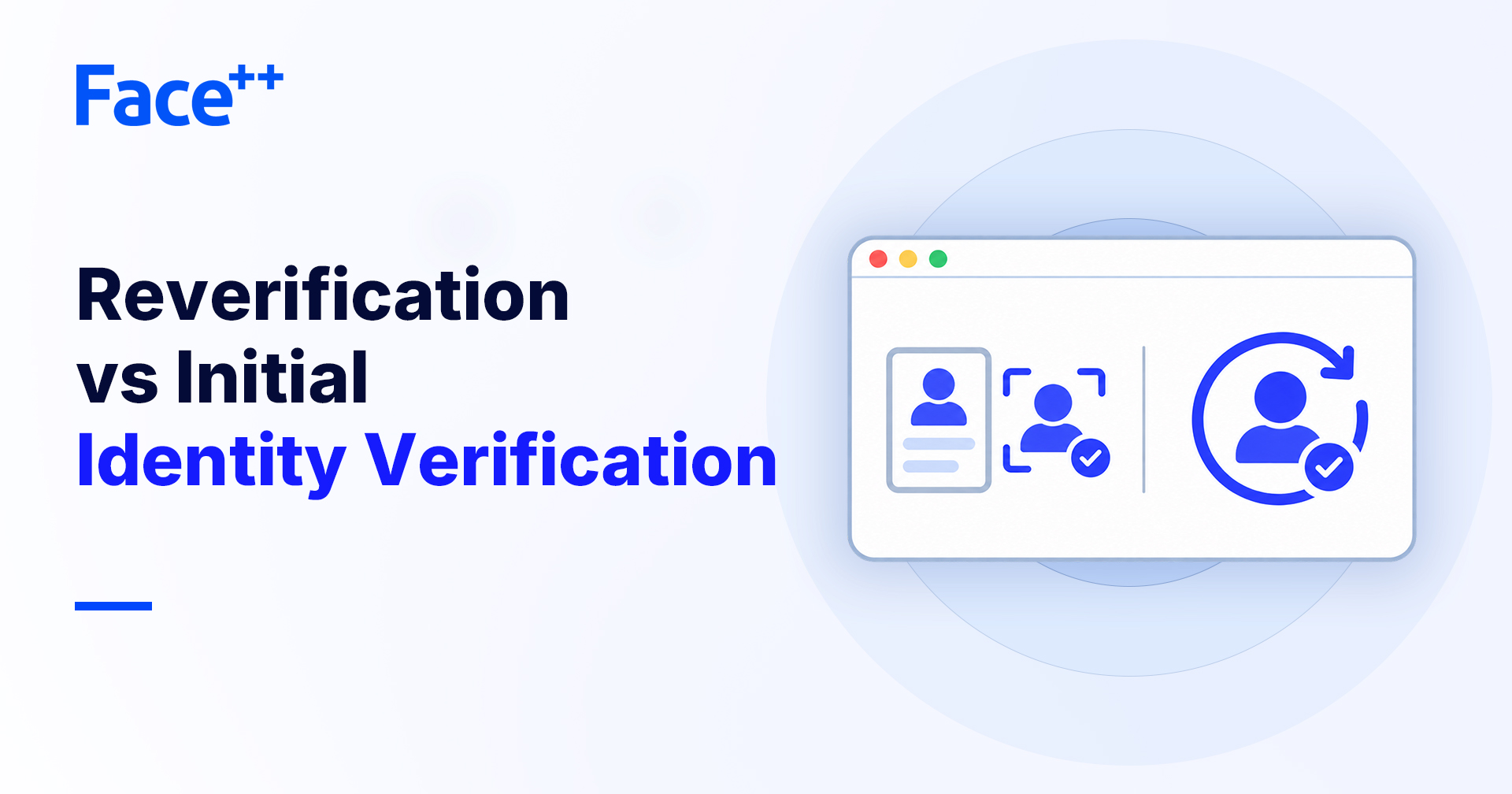
Both approaches aim to answer the same question: is this person genuinely connected to the identity being presented? However, they use different evidence, create different customer experiences, and face different fraud risks.
What Is In-Person Identity Verification?
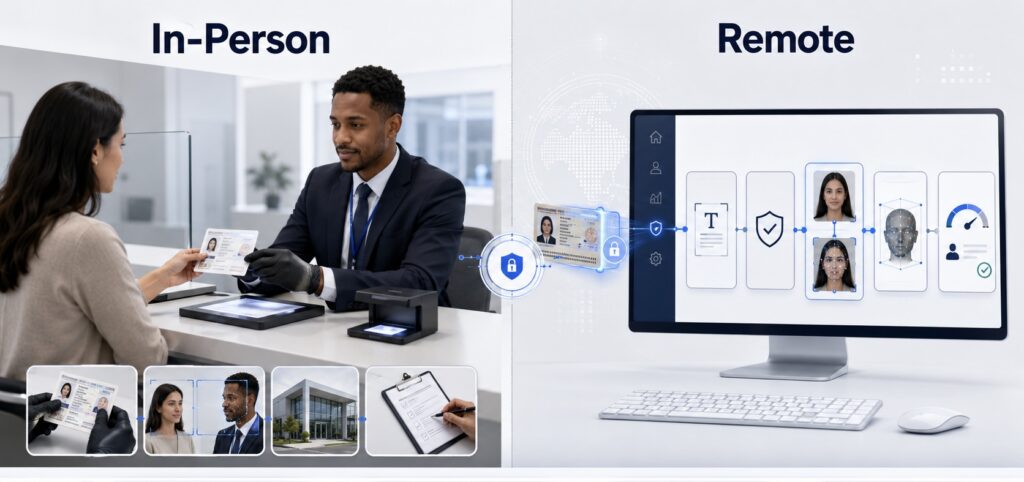
In-person identity verification requires the customer and an authorized employee or agent to be physically present in the same location.
The employee typically:
- Inspects the identity document
- Checks the portrait against the customer
- Reviews visible security features
- Collects or confirms customer information
- Records the verification result
This approach allows direct interaction and physical document handling. It can be effective for complex cases or customer segments requiring additional assistance.
However, the quality of the decision depends heavily on employee training, document familiarity, available tools, and operational consistency. A staff member may need to recognize many document formats and identify increasingly sophisticated manipulation or impersonation attempts.
What Is Remote Identity Verification?
Remote identity verification enables customers to prove their identity through a digital channel without visiting a physical location.
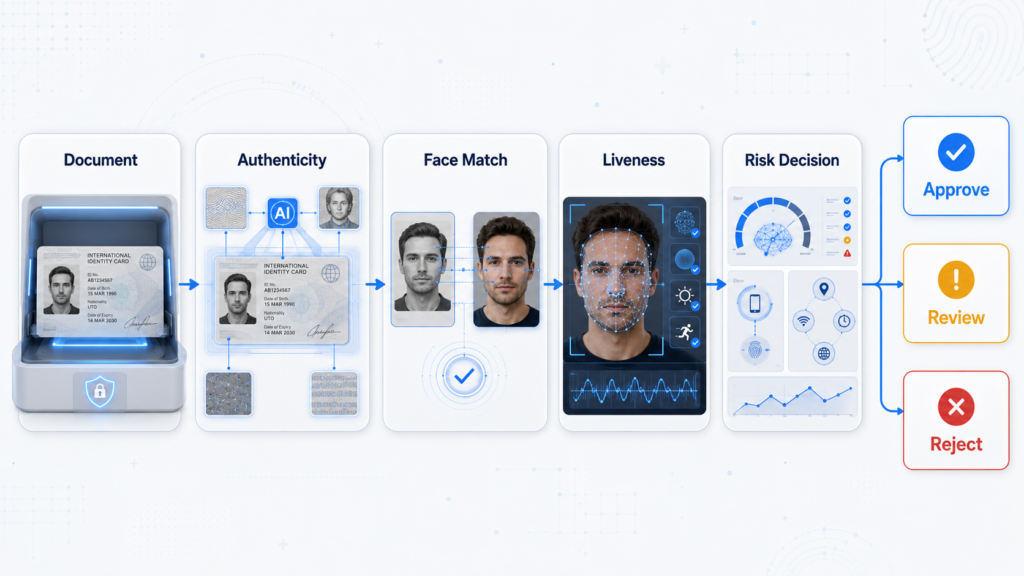
A typical workflow includes:
- Capturing an identity document
- Extracting information with OCR
- Checking document authenticity and validity
- Capturing a selfie or facial video
- Comparing the live face with the document portrait
- Performing liveness detection
- Evaluating device and session risk
- Producing an automated or review-based decision
Remote verification replaces direct physical inspection with multiple digital evidence layers. It can be delivered through mobile applications, web interfaces, SDKs, or APIs.
Key Differences Between Remote and In-Person Verification
Customer Experience
In-person verification requires travel, branch availability, and interaction during operating hours. The process may be difficult for customers in remote locations or markets with limited physical infrastructure.
Remote verification can be completed from almost anywhere and at any time. A well-designed workflow can reduce onboarding time and abandonment, especially for mobile-first customers.
However, remote users may experience problems caused by poor lighting, low-quality cameras, unstable networks, or unfamiliar capture instructions. Clear guidance and real-time image-quality feedback are therefore important.
Operational Scale
Physical verification requires offices, trained employees, and manual processing capacity. Expanding into a new region may require additional branches or third-party verification networks.
Remote verification is easier to scale across large user volumes and multiple markets. Automated document and facial analysis can process applications consistently, while higher-risk cases are routed to manual review.
The main operational challenge shifts from branch management to system integration, model performance, exception handling, and fraud monitoring.
Speed and Availability
In-person verification is limited by working hours, queues, and staff capacity. Even when the actual inspection is short, scheduling and travel can extend the customer journey.
Remote identity verification can provide decisions within the digital onboarding flow. Low-risk applications may be approved automatically, while uncertain or suspicious cases receive additional checks.
Consistency
Human reviewers can apply rules differently. Fatigue, limited document knowledge, and time pressure may affect their decisions.
Automated systems can apply the same validation logic across every session. This does not eliminate the need for human judgment, but it allows manual teams to focus on cases that genuinely require investigation.
Data and Auditability
Digital workflows can record document images, extracted fields, face-match results, liveness outcomes, device signals, timestamps, and decision rules. These records support operational analysis and compliance audits.
In-person processes can also be documented, but the evidence captured may vary by branch or employee. A visual inspection that was not properly recorded can be difficult to reconstruct later.
Different Fraud Risks
In-person and remote verification are exposed to different attack methods.
During physical verification, fraudsters may use:
- Counterfeit or altered documents
- Look-alike impersonation
- Stolen genuine documents
- Social engineering
- Employee collusion
Remote channels introduce additional digital threats:
- Screenshots and printed document copies
- Screen recapture attacks
- Photo and video replay
- 2D or 3D masks
- AI-generated deepfakes
- Virtual-camera injection
- Emulator and application manipulation
- Repeated automated submissions
The absence of an employee does not automatically make remote verification less secure. It means the system must use technologies designed to examine evidence that a human branch agent may not be able to observe.
The Role of Document and Face Verification
Remote verification should not rely on a single document image or facial comparison.
Document verification can assess layout, fonts, field positions, expiration dates, security features, manipulation traces, and recapture indicators. OCR extracts information, while authenticity analysis evaluates whether the document itself appears genuine.
Face verification then compares the person completing the process with the portrait on the document. Liveness detection helps determine whether the facial input comes from a real, present person rather than a photo, replayed video, mask, deepfake, or manipulated stream.
Together, these controls establish a stronger connection between the identity document, the applicant, and the current session.
Device and Session Intelligence
A legitimate-looking document and face may still be submitted through a suspicious environment.
Device intelligence can identify emulators, rooted or jailbroken devices, proxy connections, abnormal locations, modified applications, and repeated device fingerprints. Session monitoring can detect unusually fast completion, repeated failures, inconsistent capture sequences, or multiple identity applications linked to the same environment.
These signals should contribute to a unified risk decision rather than operate as isolated pass-or-fail checks.
When Is In-Person Verification Still Appropriate?
Remote verification is suitable for many onboarding and account-security scenarios, but physical verification remains useful when:
- Regulation requires physical presence
- The customer cannot complete digital verification
- Documents are unsupported or severely damaged
- The identity case contains complex inconsistencies
- The transaction or relationship carries exceptional risk
- Additional original documents must be inspected
Digital businesses do not always need to choose one method exclusively. A hybrid model can use remote verification as the standard path and reserve in-person review for exceptions.
Choosing the Right Verification Model
Businesses should evaluate several factors before selecting an approach:
- Target markets and customer accessibility
- Regulatory requirements
- Supported document types
- Expected transaction and account risk
- Fraud patterns in each digital channel
- Required onboarding speed
- Manual review capacity
- Data protection and retention obligations
For remote workflows, businesses should prioritize secure capture, document authenticity analysis, facial recognition, liveness detection, device risk, configurable decision rules, and complete audit records.
Performance should be monitored using genuine-user completion rates, false rejections, fraud detection rates, manual review volumes, and onboarding conversion.
Conclusion
In-person verification provides physical interaction and direct document handling, but it can be slower, harder to scale, and inconsistent across locations. Remote identity verification offers greater accessibility, speed, and automation, while introducing digital fraud risks that require specialized controls.
The most effective model depends on the customer, market, regulation, and risk level. By combining document verification, face matching, liveness detection, device intelligence, and risk-based decisioning, digital businesses can build remote onboarding processes that are both efficient and secure—while retaining human or in-person review for exceptional cases.